Hot news

Instructions for looking up bidding information
How to search and post private bidding packages effectively and easily? If you are wondering about this issue, please join DauThau.Net to find out the following article to know how the steps of searching and posting bidding information on the private bidding floor are done.

Nhấn VÀO ĐÂY để chuyển bài viết sang bản tin tiếng Việt
1. Instructions for using the quick search function
On the Bidders, contractors can use the quick search function to research any information about tender notices or procurement plans.
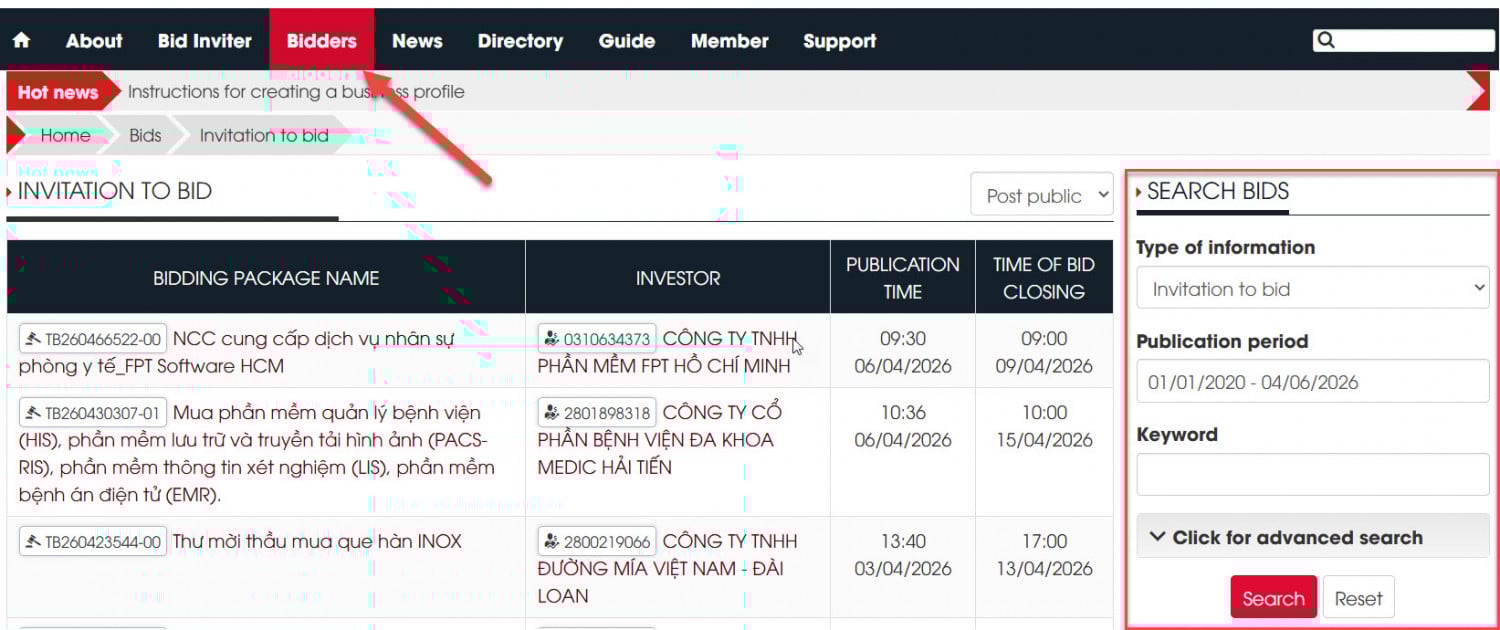
With DauThau.Net software, information is filtered according to more criteria:
First, there is the Search Bidders category. Selecting Type of information allows you to search for information such as:
Contractor selection
List Projects
Invitation to bid
Bid opening results available
Result of contractor selection
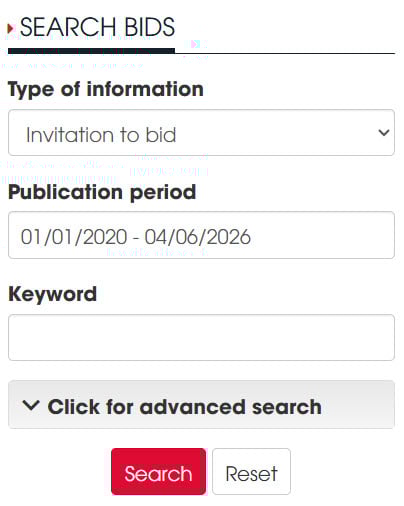
***Note: Depending on the specific tender package posted, the information provided will vary. Some tender packages only have the Invitation to Invitation to bid and the Contractor selection plan posted; therefore, it is recommended that bidders search using these two pieces of information. Only if these are not found should they switch to other information types.
Next, you can filter the information by selecting the time period for which the Invitation to Invitation to bid was posted. Here, you can choose an automatic range from 7 days to the entire search history, or you can select a specific time period by clicking on another option.
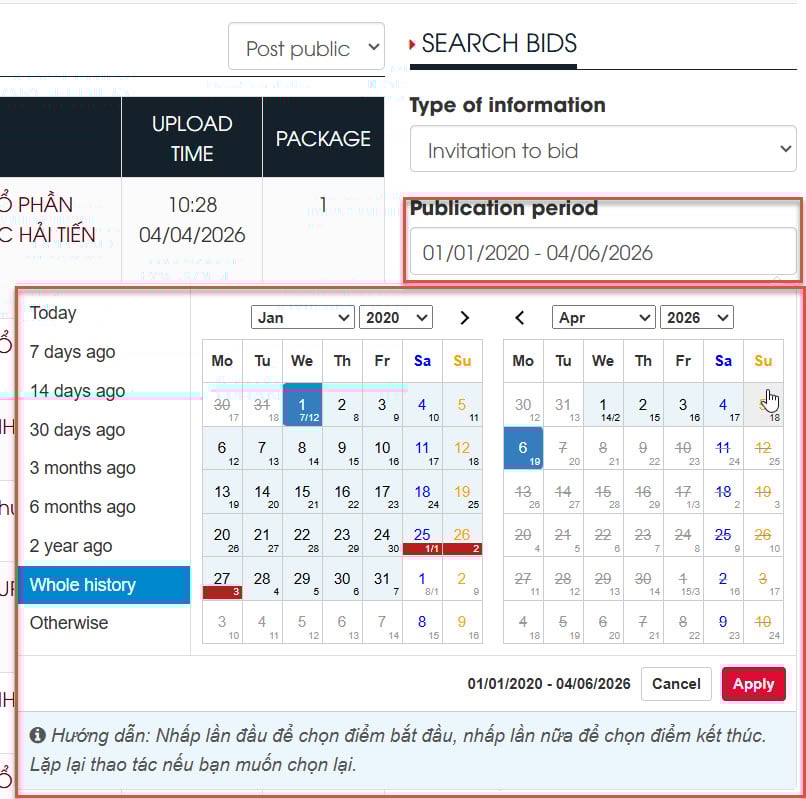
After setting up the time period you want to search, fill in the Keyword section with the information you want to find.
2. Instructions for using the advanced search function on DauThau.Net
The information search function on DauThau.Net is in basic search mode by default. Click the Click for advanced search button to open the software's advanced search function.
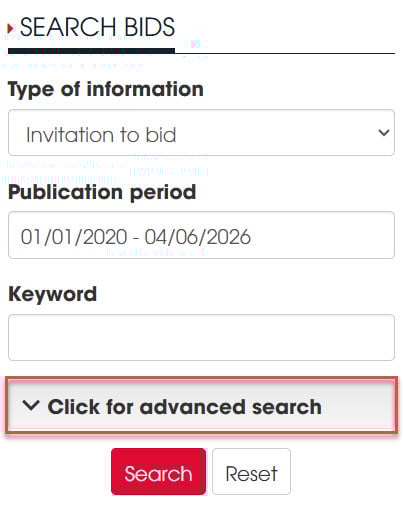
At this point, you will also see the field-specific filtering function corresponding to the National Bidding Network System. Simply select the field you want. If you are unsure which field it is, just leave it as is, and the software will automatically search across all fields.
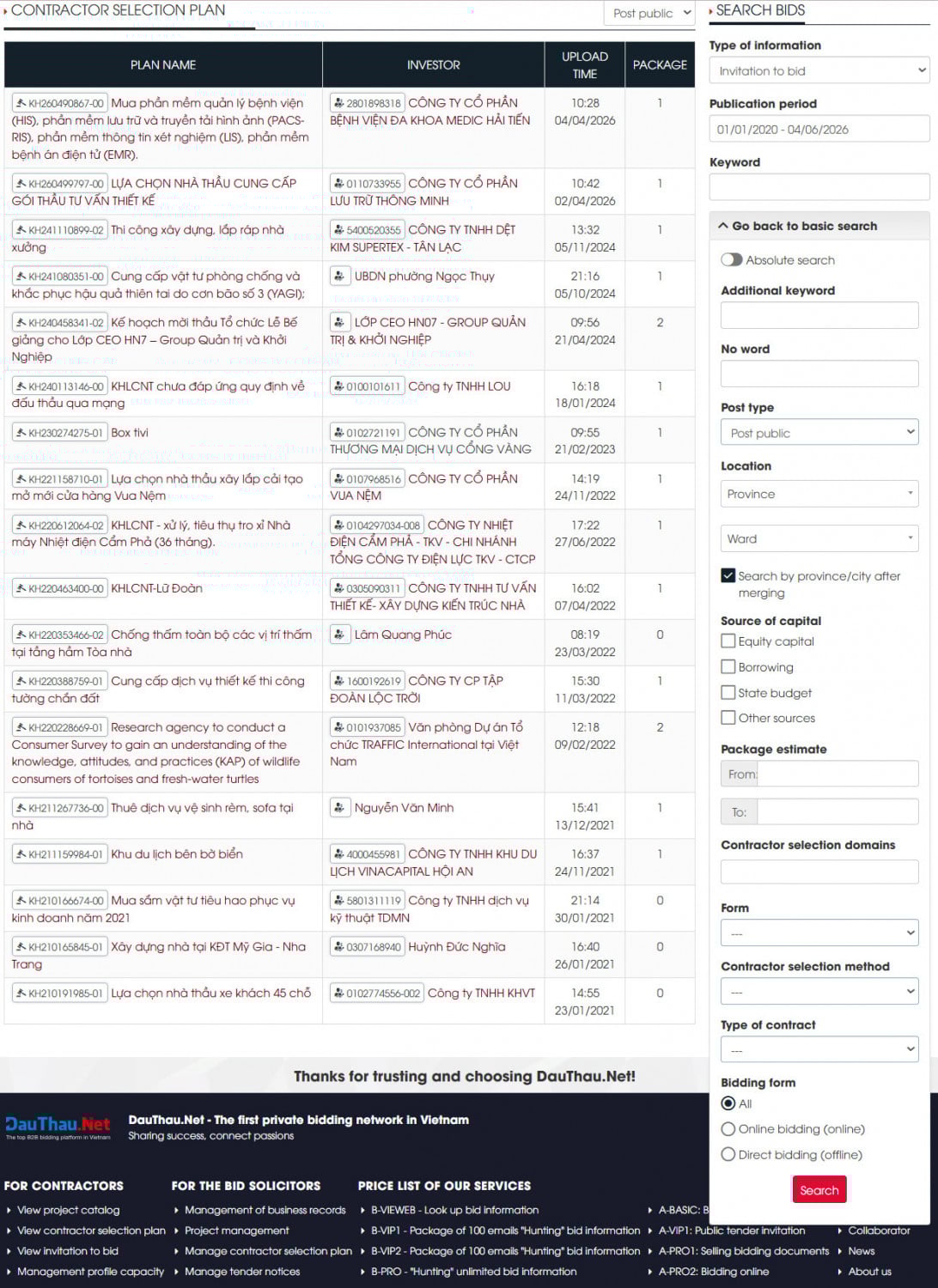
To use the advanced search and lookup functions effectively, you need to understand the meaning and purpose of the following information fields:
Information | Describe |
Additional keywords | Keywords are mandatory in the tender notice content. If you enter 3 keywords, all 3 keywords must appear in the tender notice results. Keywords entered in the "Do not contain words" box will not appear in the tender notice. Similar to the main keyword, you can enter a maximum of 5 keywords in each box, and there is no character limit for keywords. ***Note: Here's a little "trick": if you want to search for educational projects in a specific locality, you can use the name of that locality as an additional keyword. For example: Bac Giang, Hai Phong, Can Tho… If you want to track tenders from a specific bidding entity, simply enter the name of that entity in this section. |
Absolute search | When you enable this feature, the software will understand that you want to search for the exact information you entered in the fields, including punctuation, keywords, and even typos. |
Location | You can choose the desired location for executing the contract. |
| Funding Sources and Estimated Bid Packages | Select your funding sources and enter the estimated bid price for your desired package, within the limits appropriate to your company's budget. |
Contractor Selection Areas | You can search for the types of areas your company is interested in. ***Note: On any Invitation to bid on DauThau.Net, when you click on the field name, the "Contractor Selection Area" filter will be automatically activated, allowing users to further refine other conditions (location, funding source, estimate, keywords, etc.). |
Form, Method, and Type of Contract | You choose depending on what is appropriate for your company. |
After you've set up the filters, press Search to get the results you want.
Using the private tender information search software - DauThau.Net, searching becomes easier and more accurate. Especially if you use the private tender information service packages, the system will automatically filter 24/7 and send the found information to your email, saving time, costs, and manpower in searching for and "hunting" for tender information.
Author: Linh Hồ Thị
Newer articles
Older articles
Search Bids
Vote
-
 View the history of business information changes—a feature that is available only on DauThau.Net!
-
 Guide on How to Use Points in DauThau.Net
-
 Instructions for authenticating personal/expert profiles
-
 DauThau.info was entered the TOP 60 of the National Innovation Startup Talent Competition - Techfest Vietnam 2020
-
 Bidding ecosystem is in the list of the top 60 businesses of the Startup Wheel 2021 contest
Welcome
You are not logged in, please login to use all member functions.
If you do not have a member account, please register.You can use your account at DauThau. info to login on DauThau. Net and vice versa!
This takes only 5 minutes and is completely free! Your account can be used in all our systems, including DauThau.info and DauThau.Net